User guide

Intro

This is the manual for WebBAMT,
framework for data modeling and analysis tool based on Bayesian networks.
As a core for WebBAMT BAMT is used.
All projects are open-sourced:

Registration / Sign in

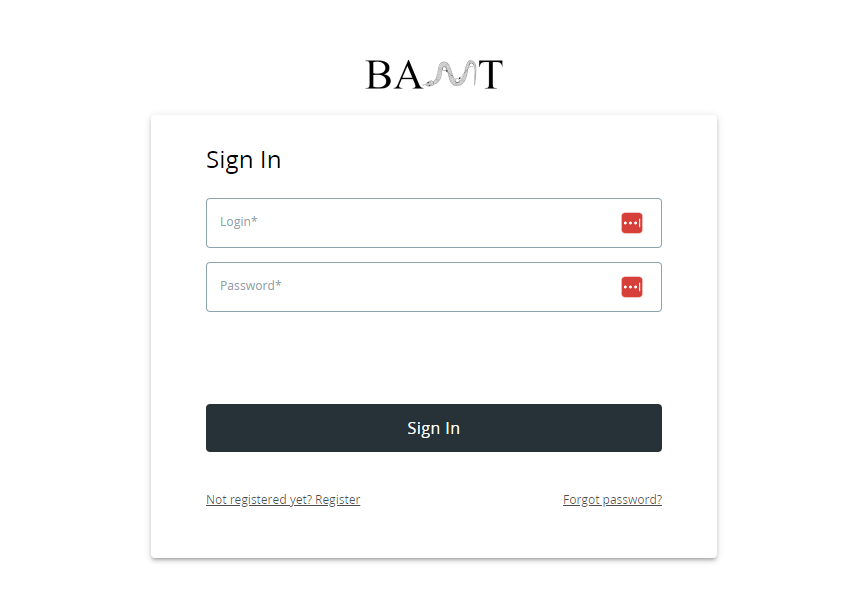
_images/SignInPage.png
If you already have an account, you can pass your data in the fields.
If not, you can sign up with the forms on link in “Not registered yet? Register”.

Dataset upload

_images/UploadDatasetPage.PNG
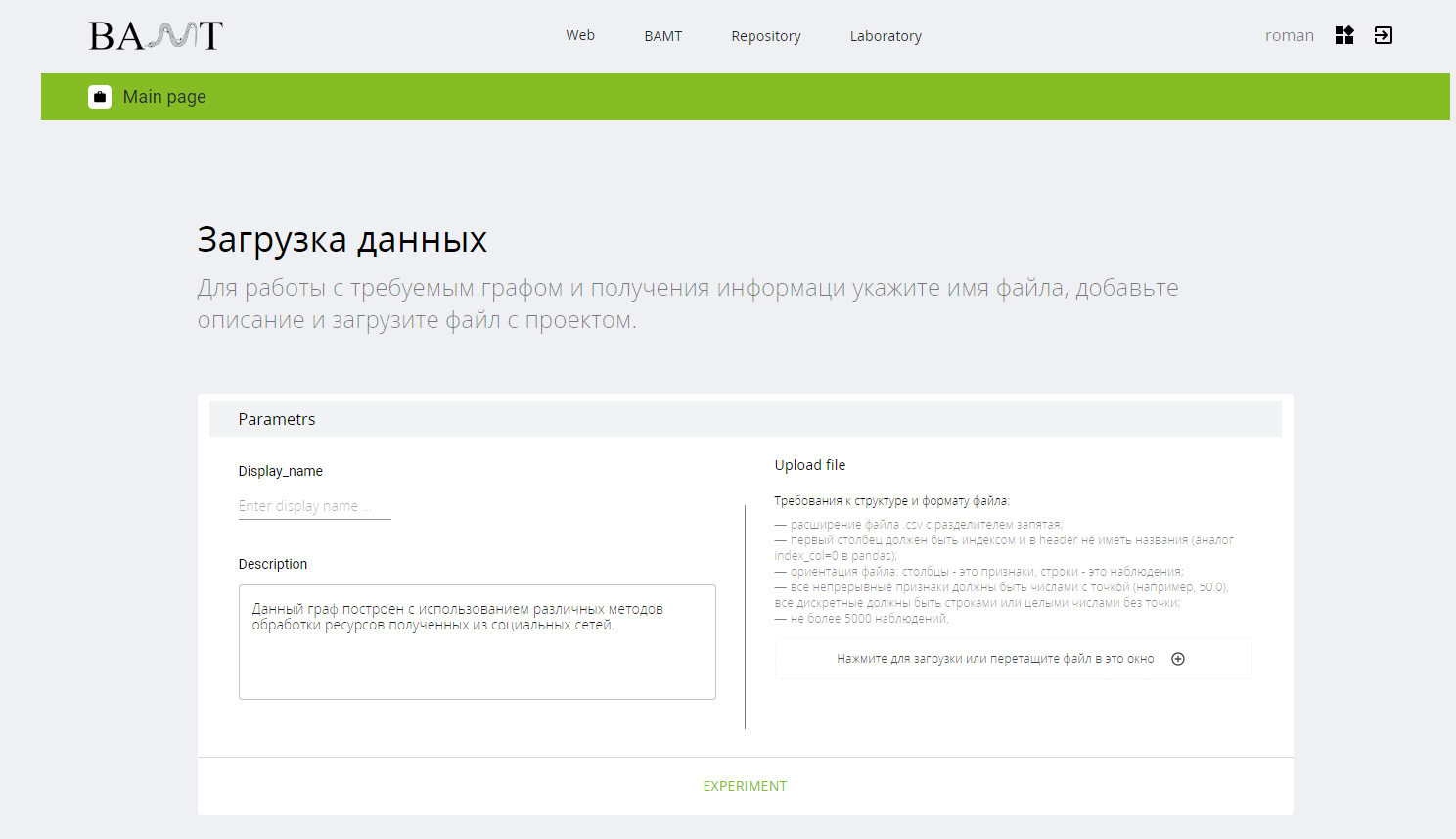
Next you will be redirected on a page with dataset upload.

Warning

Please, take into consideration a format for file below “Upload file”.

Pass a display name, it is a name for your dataset (it must be unique).
You can also provide a description of your dataset.
It is also possible, to proceed next without upload your own dataset. In this case you can use build-in datasets.
After all fields are filled, press on green experiment button!

Experiment

_images/ExperimentPage.PNG
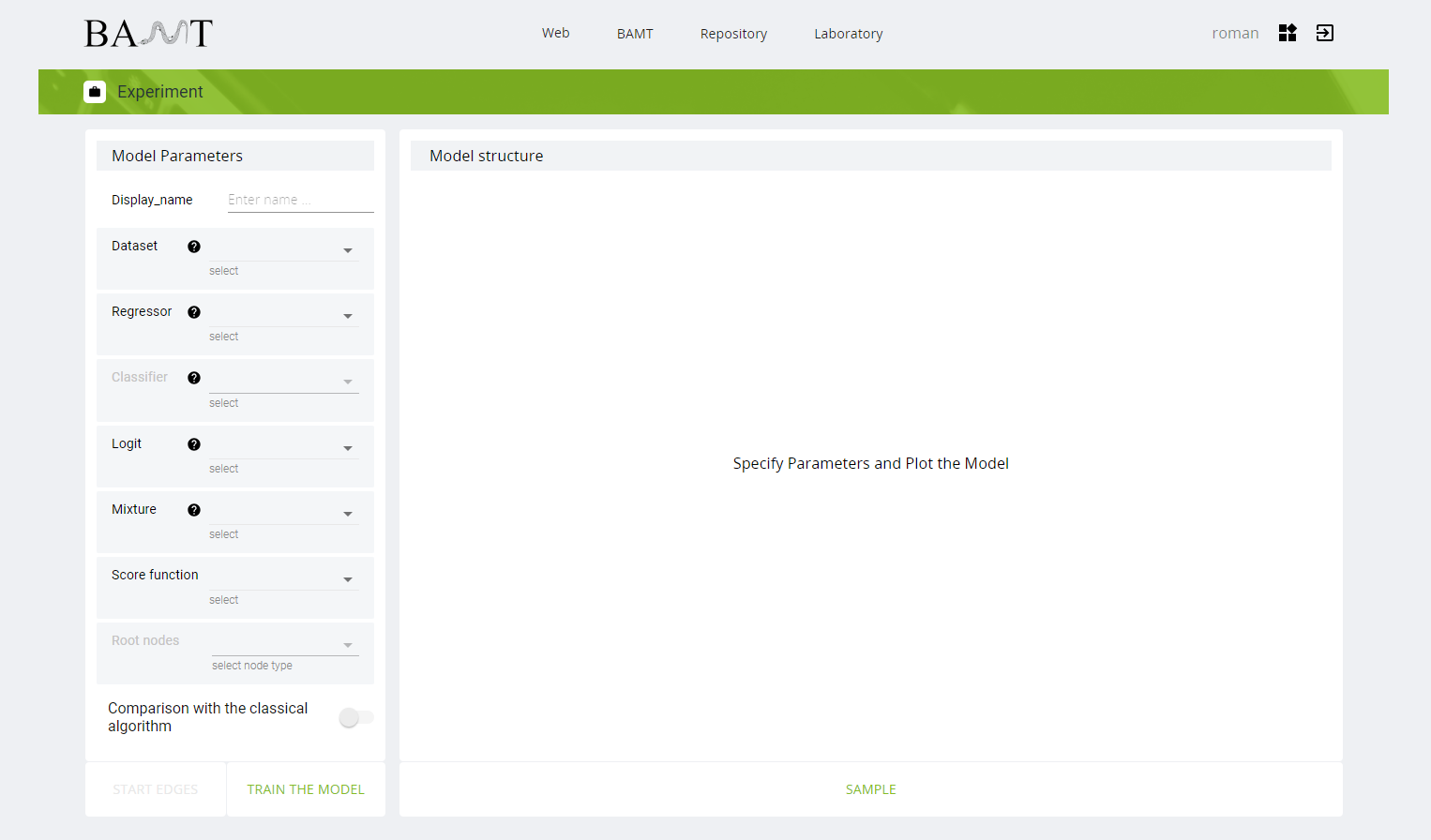
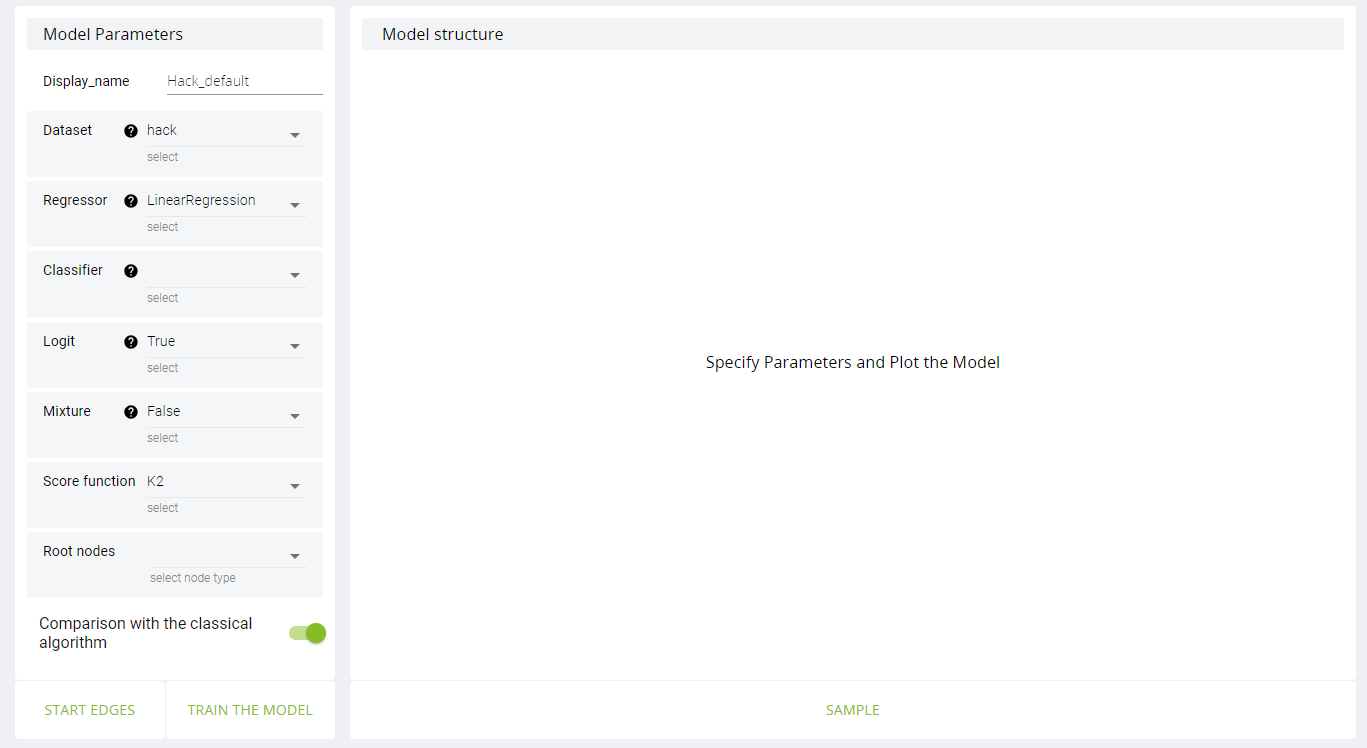
On experiment page you choose parameters for bayessian network.
Let’s take a look a little bit closer on them:

Brief description

Experiment parameters

Parameter

Description

Display name

Name of bayessian network.

Dataset

Dataset to train on.

Regressor (only if Mixture = False)

Model for gaussian node. Affects only parameters learning.

Classifier (only if logit = True)

Model for logit node. Affects both parameters and structure learning.

Logit

Defines whether use logit nodes or not. When True, presence of edges from continuous nodes to discrete is allowed.

Mixture

Defines whether use nodes with mixtures or not.

Score Function

Function for structure learning.

Root nodes

Nodes to start structure learning from.

Comparison with classical algorithm

If True, bayessian network with default parameters will be learnt.
Default parameters:
  1. Regressor is LinearRegression.

  2. Logit = False.

  3. Mixture = False.

  4. Score function = K2.

  5. Other parameters are empty.

After parameters are chosen, you can also set initial structure (domain knowledge) by clicking on “Start Edges” button.
And then click first on node from edges starts and then on node where edge ends. To delete edge click on it.
So all that’s left is only to press on “Train the model”.

Managing datasets and networks

So, now you have a dataset(-s) and network(-s).
If you want to delete any of them, click on button on the right of your name in the upper right corner.
_images/ManagingButton.PNG

Sample

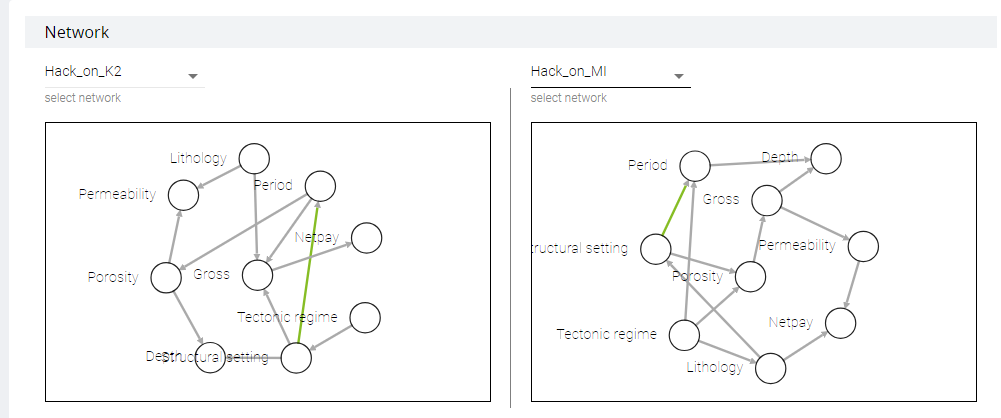
This page provides comparison of networks structures and their parameters.
Let’s compare two networks. One of them we have trained with K2 scoring function,
and the second - with MI (Mutual Information). We haven’t set “compare with classical algorithm”.
_images/SampleComparison.PNG
As you can see, structures are different. The only edge is the same among networks is colored in green.
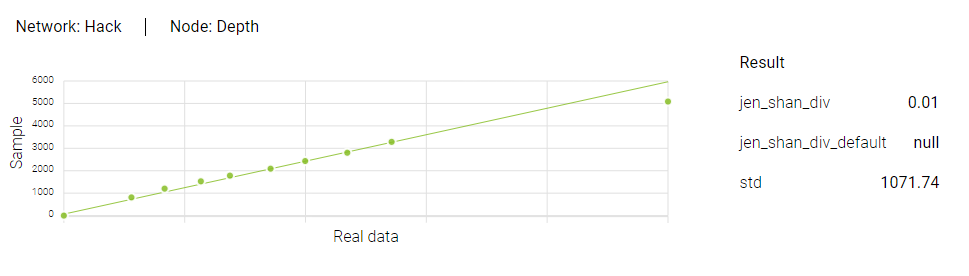
By clicking on nodes, you can see result of sampling. We use QQ-plots to compare quantiles:
on x-axis - quantiles from dataset, on y-axis - quantiles from distribution recovered with bayessian network.
_images/SampleResult.PNG
On the right of plot you can see metrics to evaluate bayessian network.

Metrics

Depending on type of random variable, metrics are displayed. If variable is discrete, only two metrics are shown
(jen_shan_div and jen_shan_div_default). If continuous, std is shown also.
Jensen–Shannon divergence is a metric that shows you a unsimilarity between real and predicted. It ranges from 0 to 1.
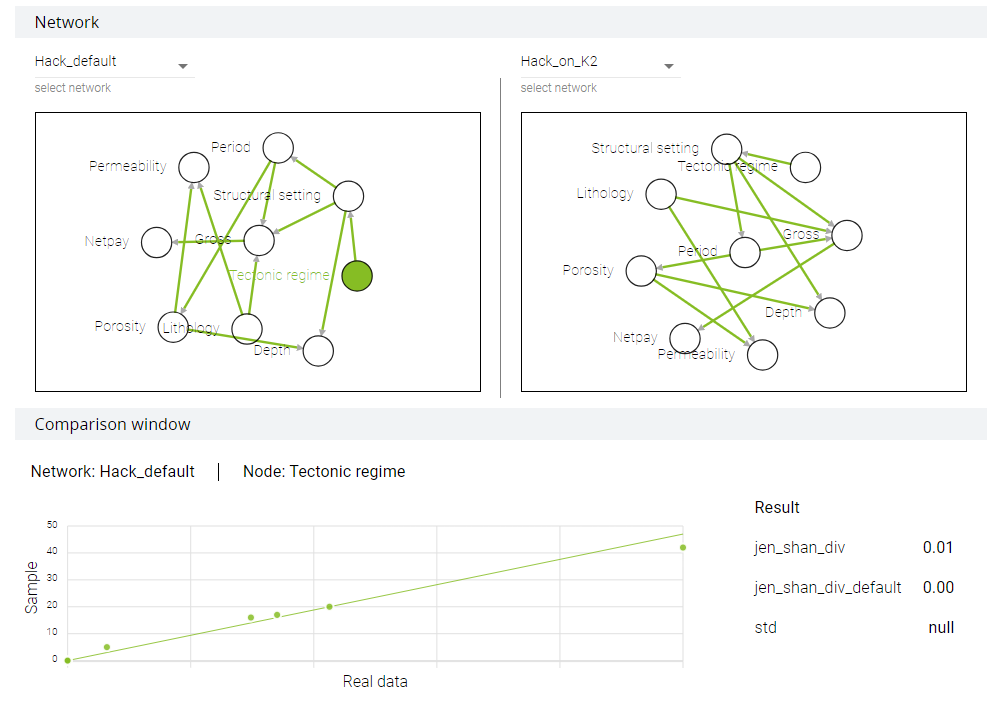
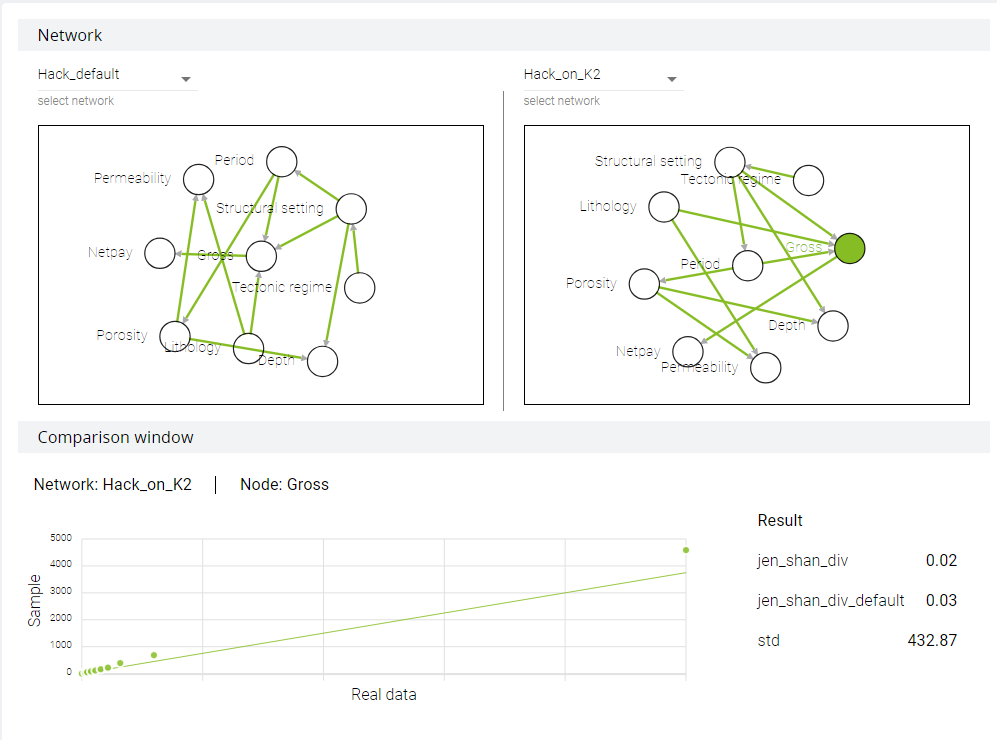
Metrics with postfix _default is a metric on default network.

Default networks

This feature allows user to find out if variation of parameters helps or not.
Default sample is cached.
Let’s turn back into experiment page. It can be done in two ways:
by clicking on experiment button on Sample page or by using navigation bar (BAMT -> Experiment).
We will train the third network with K2 and logit nodes and with comparison flag.
_images/ExperimentDefault.PNG _images/SampleDefault.PNG
Default network is cached, so it can be used for analysis all networks that were trained on dataset.
_images/SampleDefault2.PNG

Concluding word

Gathering all together, with WebBAMT user can:

  1. Upload his own dataset.

  2. Train bayessian networks on it with different parameters.

  3. Compare results of structure and parameters learning.